Independent review — not sponsored | Last updated: September 2026
If you own Pulse Fitness equipment or train in a gym that stocks their machines, you may be sitting on one of the most capable — and most overlooked — fitness apps available to UK users right now. In this Pulse Fitness App review, we’ll break down exactly what it does well, where it falls short, and whether it genuinely outperforms the likes of MyFitnessPal for the average busy Brit trying to train smarter. Spoiler: if you’re already using Pulse hardware, the answer is almost certainly yes — and the reasons might surprise you.
Quick Verdict
| Overall Score | 8.2 / 10 |
| Best For | Pulse equipment owners, gym-goers using Pulse kit, data-driven trainers |
| Avoid If | You want a calorie-counting or nutrition-focused app, or don’t use Pulse hardware |
| Price | Free with Pulse equipment; premium tiers available |
| Free Trial | Yes — core features available free |
| Our Rating | 8.2 / 10 |
What Is Pulse Fitness App?
Pulse Fitness is a British fitness equipment manufacturer with a long-standing presence in UK commercial gyms, leisure centres, and the growing home gym market. Their app — the Pulse Fitness App — is the digital companion designed to sit alongside their range of cardio machines, strength equipment, and connected kit.
Rather than trying to be a one-size-fits-all fitness tracker in the mould of MyFitnessPal, the Pulse Fitness App is built around performance and equipment integration. It allows users to track workouts in real time, access guided exercise programmes, review form tips, and monitor progress through detailed analytics — all synced directly with Pulse hardware where applicable.
For gym operators, the app also feeds into a broader ecosystem of management tools, but for the end user — whether you’re training at home or visiting a gym that runs Pulse kit — it functions as a clean, focused workout companion that doesn’t try to overwhelm you with food diaries or social feeds. That focus is, in many ways, its greatest strength.

Key Features
Workout Tracking & Equipment Sync
The standout capability of the Pulse Fitness App is its seamless connection with Pulse equipment. When you’re on a Pulse treadmill, bike, or cross-trainer that supports the app, your session data — speed, distance, resistance, heart rate, calorie output — syncs automatically. There’s no manual entry required, which immediately makes it more reliable than self-reported data in apps like MyFitnessPal. For those using Pulse kit at home or in a gym, this alone makes it the smarter choice.
Form Guides & Exercise Library
The app includes an exercise library with form guidance across a broad range of movements. For less experienced gym users, this is genuinely useful — short video guides and technique cues help reduce injury risk and build confidence. It’s not as exhaustive as a dedicated coaching app, but the quality of the content is high, and it’s clearly been put together with real gym users in mind rather than simply padded out for app store appeal.
Performance Analytics & Progress Tracking
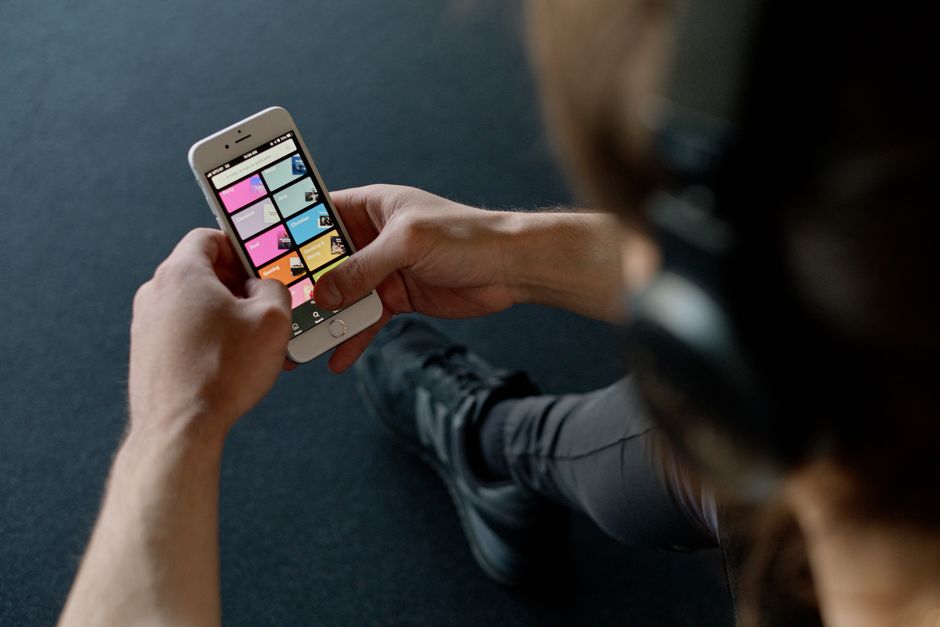
One area where the Pulse Fitness App pulls clear of MyFitnessPal is in its performance analytics. Rather than simply tallying calories, it presents your training data in a way that’s actually meaningful — tracking improvements in endurance, output, and session volume over time. Graphs are clean and legible, and the app makes it easy to spot trends across weeks and months. For data-motivated users, this is a substantial differentiator.
Programme Planning
The app offers structured workout programmes for users at different fitness levels. Whether you’re returning to exercise after a break or pushing for performance gains, there are pre-built plans to follow. These are particularly effective when used alongside Pulse cardio equipment, where the machine can automatically adjust to match the programme’s prescribed intensity levels — a genuinely smart feature that few rival apps at this price point can match.
How Pulse Fitness App Compares
| Feature | Pulse Fitness App | MyFitnessPal | Fitbod |
|---|---|---|---|
| Equipment Sync | ✅ Native Pulse sync | ❌ | ❌ |
| Performance Analytics | ✅ | ❌ Limited | ✅ |
| Calorie & Nutrition Tracking | ❌ | ✅ Core feature | ❌ |
| Form Guides / Exercise Library | ✅ | ❌ | ✅ |
| Structured Programmes | ✅ | ❌ | ✅ |
| Free Core Access | ✅ | ✅ (limited) | ❌ Trial only |
| UK-Focused Development | ✅ British brand | ❌ US-centric | ❌ US-centric |
| Community / Social Features | ❌ Minimal | ✅ | ❌ Minimal |
Pros and Cons
✅ Pros
- Native sync with Pulse hardware eliminates manual data entry
- Clean, uncluttered interface — genuinely easy to navigate
- High-quality form guides reduce injury risk for newer users
- Performance analytics provide meaningful progress data
- Built by a British brand that understands UK gym culture
- Structured programmes work seamlessly with compatible machines
- Core access is free — no paywall for essential features
❌ Cons
- No nutrition or calorie tracking — not suitable as a food diary
- Full value only unlocked when using Pulse equipment
- Social and community features are very limited
- Exercise library, while quality, is smaller than dedicated strength apps
- App store ratings suggest occasional connectivity bugs with older kit
Pricing
The Pulse Fitness App follows a model common among equipment-linked apps: core features are available free of charge, making it an accessible starting point for anyone who already owns or regularly uses Pulse equipment.
For users who want access to the full suite of analytics, extended programme libraries, and advanced tracking features, premium subscription tiers are available. Pricing for these is best confirmed directly on the Pulse Fitness website, as options may vary depending on whether you’re an individual user, a gym member, or a facility operator integrating the app across multiple machines and user accounts.
It’s worth noting that for Pulse equipment owners, a significant portion of the app’s most compelling features — including equipment sync and structured programmes — are included without additional cost. This represents strong value when compared to apps like Fitbod, which place nearly everything behind a subscription.
For those considering the premium tier, the analytics depth alone makes it a worthwhile upgrade for anyone serious about tracking long-term performance gains rather than just logging sessions.
Who Is Pulse Fitness App Best For?
Perfect For:
- Pulse equipment owners at home — the app’s full potential is realised when paired directly with Pulse hardware, making it the obvious companion choice
- Members of gyms running Pulse kit — many UK leisure centres and council-operated gyms use Pulse machines; this app turns those sessions into structured, trackable data
- Data-motivated trainers who care more about performance trends than calorie counts
- Beginners seeking guided programmes — the combination of structured plans and form guides offers genuine hand-holding without being condescending
- Busy professionals who want simplicity — the clean interface and automatic hardware sync mean minimal friction between arriving at the gym and getting meaningful data out of a session
Not Ideal For:
- Nutrition trackers and calorie counters — there’s no food diary functionality; users in this camp are better served by Nutracheck or similar
- Non-Pulse gym users — without Pulse equipment, the app functions as a standalone tracker that lacks the hardware integration that makes it special
- Advanced strength athletes wanting deep barbell programming and one-rep-max calculators — a dedicated strength app will serve better
- Community-driven users who want leaderboards, challenges, and social features baked in
Our Verdict
The Pulse Fitness App is a well-crafted, focused tool that does exactly what it sets out to do — and does it better than most general-purpose fitness apps for the specific audience it serves. For Pulse equipment users in the UK, it’s a no-brainer addition to your phone. The hardware sync removes the friction of manual logging, the analytics are genuinely insightful, and the form guides add real coaching value for those earlier in their fitness journey. It’s honest in its scope: this is a workout performance app, not a nutrition tracker, and it doesn’t pretend otherwise. The main caveat is that users who don’t touch Pulse kit will find it underwhelming compared to more universal alternatives. But for its target audience — and that’s a substantial chunk of UK gym-goers — it’s a strong 8.2 out of 10.
| Category | Score |
|---|---|
| Value for Money | 9.0 / 10 |
| Features | 8.0 / 10 |
| Ease of Use | 8.5 / 10 |
| UK Availability | 9.0 / 10 |
| Overall | 8.2 / 10 |
Get Started with Pulse Fitness App Today →
Frequently Asked Questions
Is the Pulse Fitness App free to use?
Yes — core features of the Pulse Fitness App are available free of charge. This includes basic workout tracking, access to the exercise library, and form guides. More advanced analytics and extended programme content may require a premium subscription. For users with Pulse equipment, a substantial portion of the app’s best functionality is included at no additional cost, making it excellent value from the outset.
Does the Pulse Fitness App work without Pulse equipment?
Technically yes, but the experience is notably reduced. The app can function as a standalone workout logger and programme guide without Pulse hardware connected. However, the automatic equipment sync — which is arguably its strongest feature — won’t be available. Users without Pulse kit may find general-purpose apps offer a more rounded experience for their needs.
What equipment is compatible with the Pulse Fitness App?
The app is designed to work with the Pulse Fitness range of connected cardio and strength equipment, including treadmills, upright and recumbent bikes, cross-trainers, and rowing machines that support Bluetooth or network connectivity. Compatibility can vary by model, so it’s worth checking directly on the Pulse Fitness website to confirm whether your specific machine supports full app integration.
How does Pulse Fitness App compare to MyFitnessPal?
They serve different primary purposes. MyFitnessPal is built around nutrition logging and calorie tracking, with fitness tracking as a secondary function. The Pulse Fitness App is built around workout performance and equipment integration, with no food diary functionality. For Pulse equipment users who want meaningful training analytics, the Pulse app is the stronger choice. For nutrition-led tracking, MyFitnessPal or a UK alternative like Nutracheck would be more appropriate.
Can I use the Pulse Fitness App at a commercial gym?
Yes, provided the gym uses Pulse Fitness equipment that supports app connectivity. Many UK leisure centres, council gyms, and fitness facilities use Pulse kit, so this is a realistic scenario for a large number of British gym members. In those settings, you can sync your sessions automatically, access your workout history, and follow structured programmes that align with the machines you’re using on the gym floor.
Still Not Sure? Compare Your Options:
- Why Nutracheck Beats MyFitnessPal for UK Food Trackers — if nutrition tracking is your priority alongside fitness
- MacroFactor Review: Is This Nutrition App Worth It? — for serious macro and performance nutrition tracking
- MyFitnessPal Review: 5 Things Nobody Tells You — the app this comparison is measured against
- Hevy App Review — a dedicated workout logger if you do not own Pulse hardware
- Jefit Review — another strength-tracking option with a large exercise library